








Microsoft released a blog post yesterday (October 15th) announcing the reengineering of the "Photos" application that comes pre-installed with the Windows 11 system, and invited members of the Windows Insider project to test it. It is expected to be available to all Windows 11 users later this year.
In terms of the interface, Microsoft has redesigned the "Photo Gallery" this time ( Gallery ). Users can browse photos and videos on their local computer, OneDrive, as well as Apple and iCloud on the same interface, without having to switch between multiple applications back and forth.
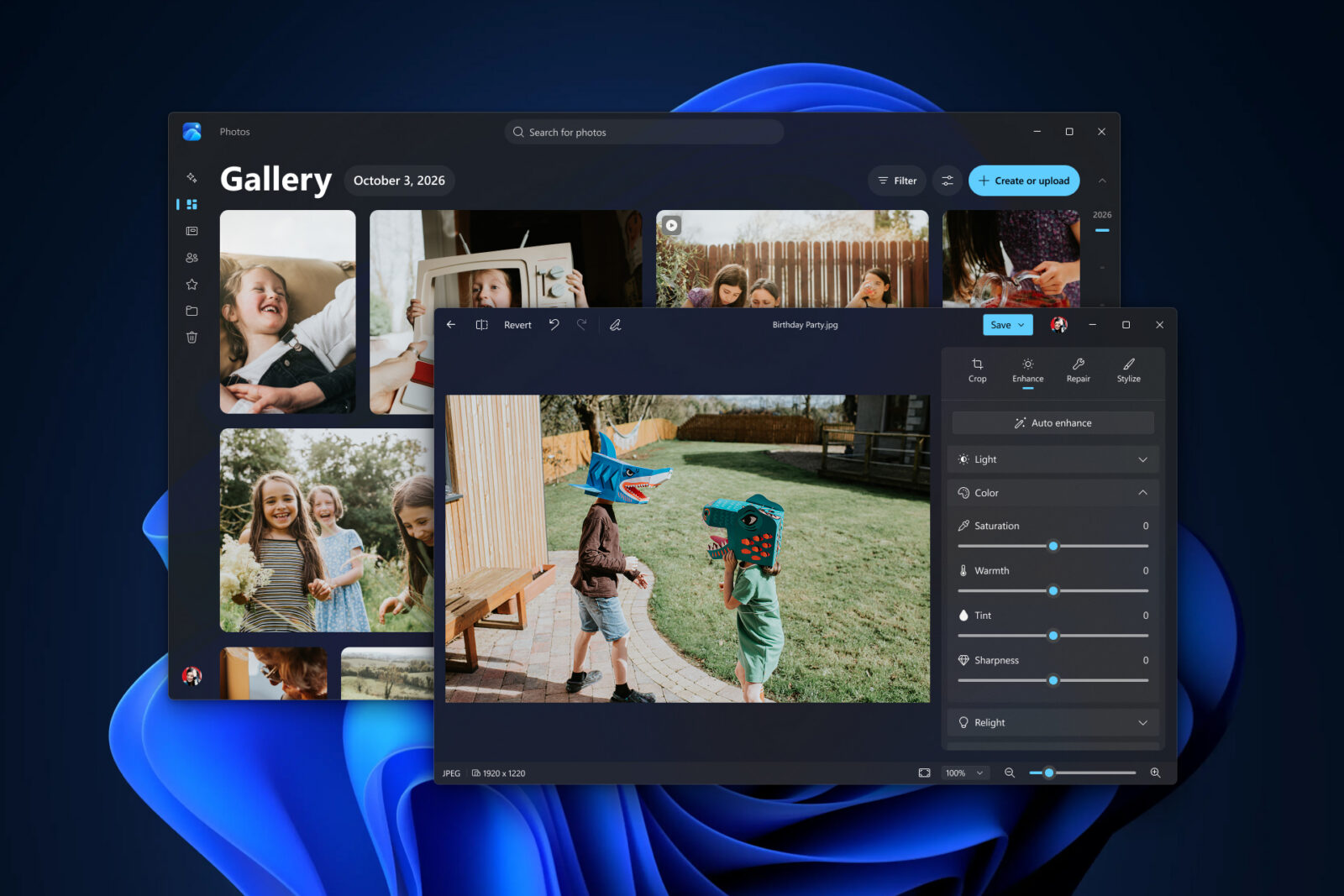
The app also supports organizing photos by date, person, favorites, and other dimensions. Additionally, a new feature called “Moments” has been added to the OneDrive content, which can automatically categorize related photos into memory collections and generate seasonal reviews and slideshows.
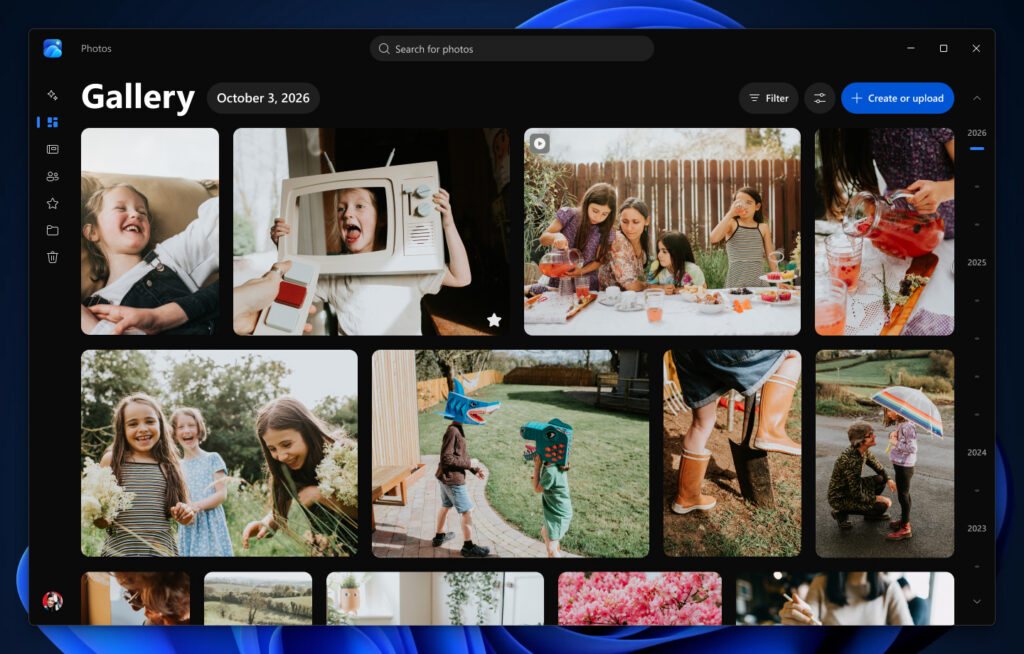
In terms of search, users no longer need to remember file names or shooting times; they simply need to enter a descriptive phrase such as "sunset on the beach" to find the corresponding photos. Microsoft also provides a feature for filtering by people, allowing users to further narrow down their search by including criteria such as the individuals in the photos and the storage location.
In terms of editing, Microsoft has rebuilt its photo editor based on WinUI, claiming that the startup speed has improved by about 25% compared to the older version. The editing tools have been reorganized into four main sections: cropping, enhancement, repair, and styling.
The new version has improved the AI object removal function: users only need to paint over or select the excess characters and clutter in the image, and the system will automatically complete the cleaning. Here is a related animated video from IT's home:
The newly added "re-lighting" (Relight) feature allows users to add up to three virtual light sources to a photo, and to adjust the color, brightness, and direction of these light sources.
The new version of the application has also enhanced support for formats such as HDR, HEIC, and WebP. It is now possible to edit and save files while maintaining their original format. The average startup speed of the image viewer has been improved by 15%, and opening HEIC images can be accelerated by up to 30%. Additionally, there is a new clearer HDR display mode, support for SVG, as well as a detail panel that includes camera parameters, shooting location, and other information.