









On October 20th, news from the IT community reported that independent developer Panchovix released a VBIOS configuration tool on GitHub that is suitable for NVIDIA GeForce RTX graphics cards in the 30 to 50 series.
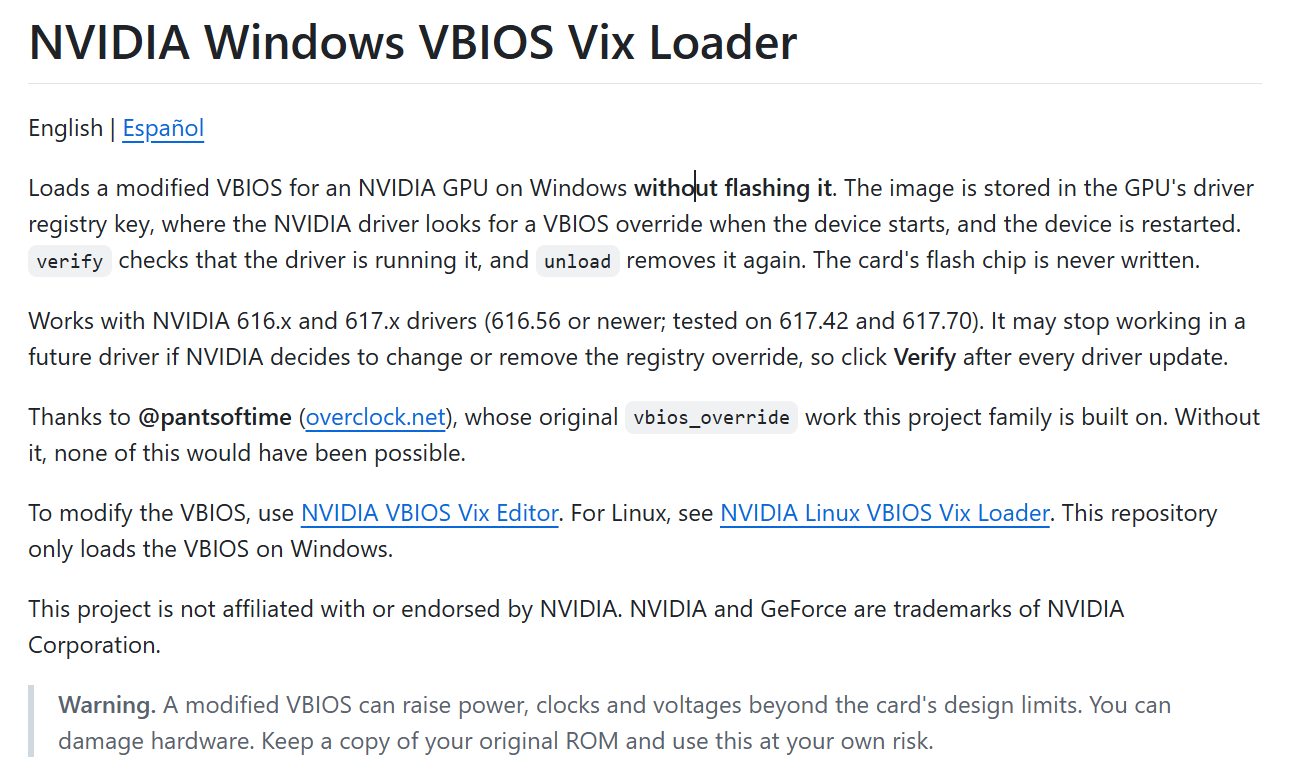
This tool mainly applies configurations through the registry override mechanism of NVIDIA graphics card drivers, allowing users to load custom settings without having to flash the graphics card firmware, significantly reducing the risk of the graphics card becoming unusable.
IT Note: VBIOS refers to the video BIOS firmware on the graphics card, which contains configurations related to hardware operation. Common tuning tools from MSI, ASUS, GPU Tweak, etc., are mainly used to adjust parameters such as graphics card frequency, power consumption, and fans, while modifying VBIOS allows for adjustments at the firmware level, breaking through some limitations set by the original factory firmware.
Traditionally, to break through the power consumption limits, voltage limits, or current limits set by the manufacturer, one could only modify the VBIOS image of the graphics card and use tools like nvflash to flash it into the flash memory chip on the card. If the flashing process goes wrong or the image is incompatible, the graphics card may become unable to start at all.
Panchovix This set of tools works in a completely different way: the modified image is not written to flash memory, but instead, the modified firmware image is written to the corresponding Windows registry key for the graphics card driver. Once the NVIDIA driver detects this override configuration, it attempts to load the image and quickly restarts the graphics card, thereby applying the relevant settings without the need to restart the entire Windows. Since this process does not affect the physical chip, it allows for the avoidance of a series of risks that may arise from write failures during traditional flashing procedures.
This project provides a graphical interface and command-line tools, and supports verifying whether the currently running VBIOS is consistent with the loaded image. It is also possible to remove the overwriting configuration and restore the use of the original firmware on the graphics card.
Panchovix The extent of the modifications he made is quite radical. According to reports from TechPowerUp and Wccftech, he directly increased the power consumption limit of RTX 5090 from 600W to 800W; for RTX 5080, it was raised from 360W to 500W; for RTX 5060 and Ti, it was increased from 185W to 300W; for RTX 4090, it was increased from 550W to 671W. At the editor level, it is even possible to double the core offset range to +2000MHz.
It should be noted that these numbers are merely configuration limits, not actual operating data; whether the graphics card can truly reach such levels still depends on cooling, power supply, and load conditions.
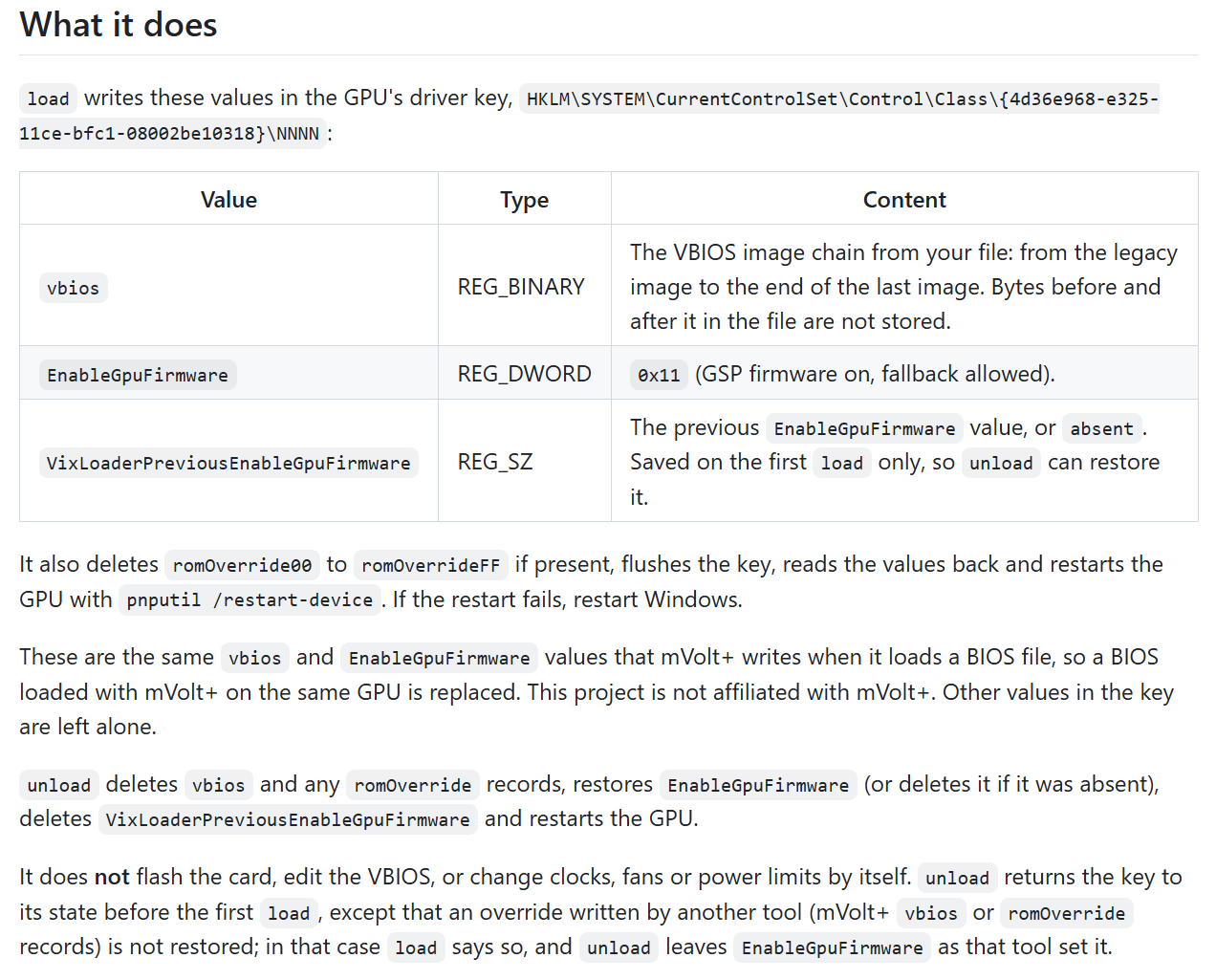
According to the project specifications, the Windows version requires a Win10 or Win11 64-bit system, as well as NVIDIA 616.x or 617.x series drivers (with a minimum of 616.56); future driver updates may change or remove these requirements, which could result in the tool no longer functioning properly.
In terms of graphics card compatibility, developers have completed tests on the RTX 5070, RTX 4090, and some RTX 30 series hardware, but not all models have been verified. The Linux version is also available, and users can choose the corresponding tool based on their system.
It should be noted that not modifying the physical flash memory does not mean there is no risk associated with altering VBIOS. Developers warn that when modifying power consumption, frequency, or voltage parameters, if these exceed the hardware design limits of the graphics card, it may still cause damage to the power supply and other electrical components. Driver updates can also lead to the configuration changes becoming ineffective. Therefore, users should still retain the original VBIOS image and carefully test the modified settings.